Transportation
What does it cost to get students to school, and is the fleet holding up?
- Cost Per Student Transported
- Transportation Cost Per Day
- Fleet Out-of-Service Rate
- Preventive Maintenance Completion
- Average Fleet Age
For K–12 district leadership
SOLA brings operational intelligence, performance accountability and school safety together in one connected platform, helping district leaders find costly inefficiencies, act on emerging problems and give their teams the information they need when it matters most.
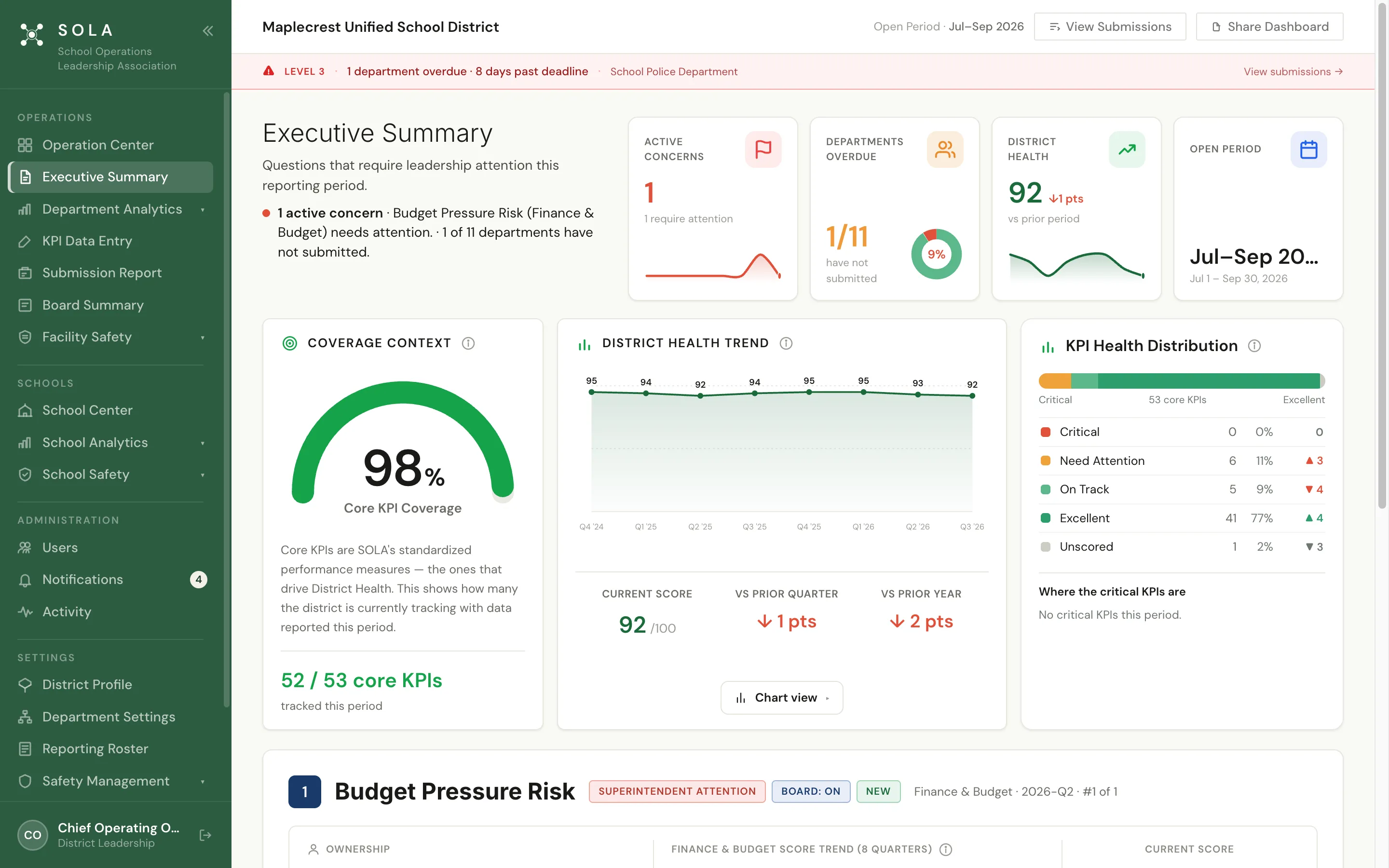
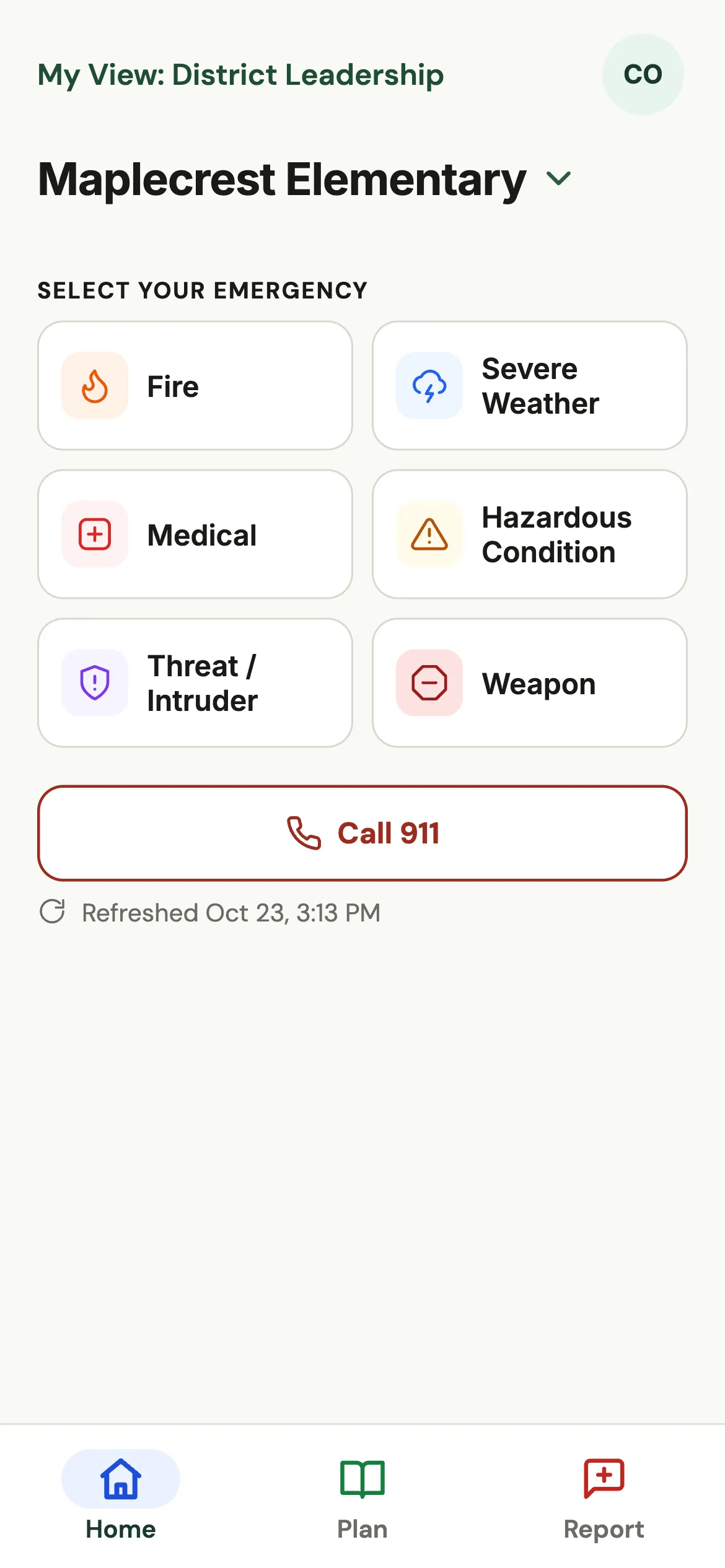
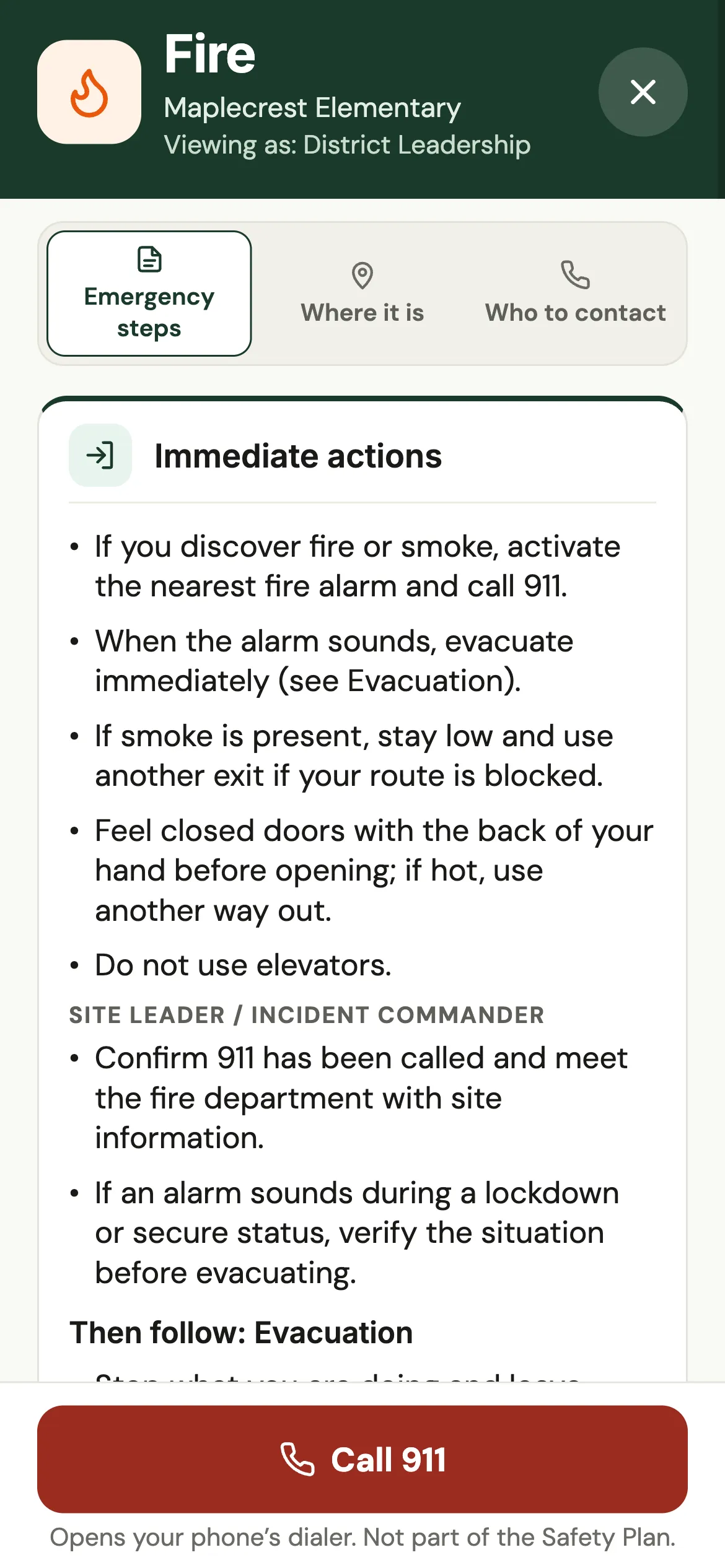
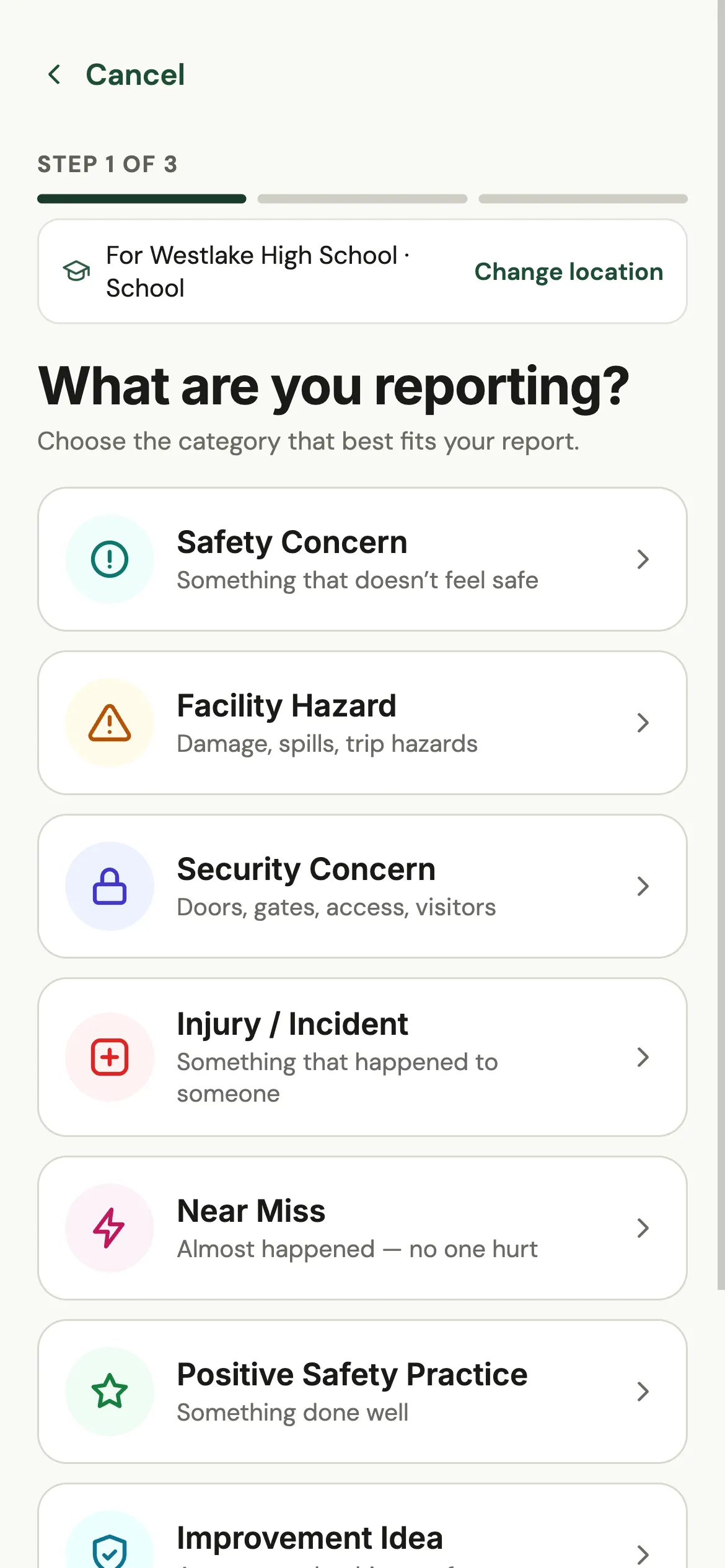
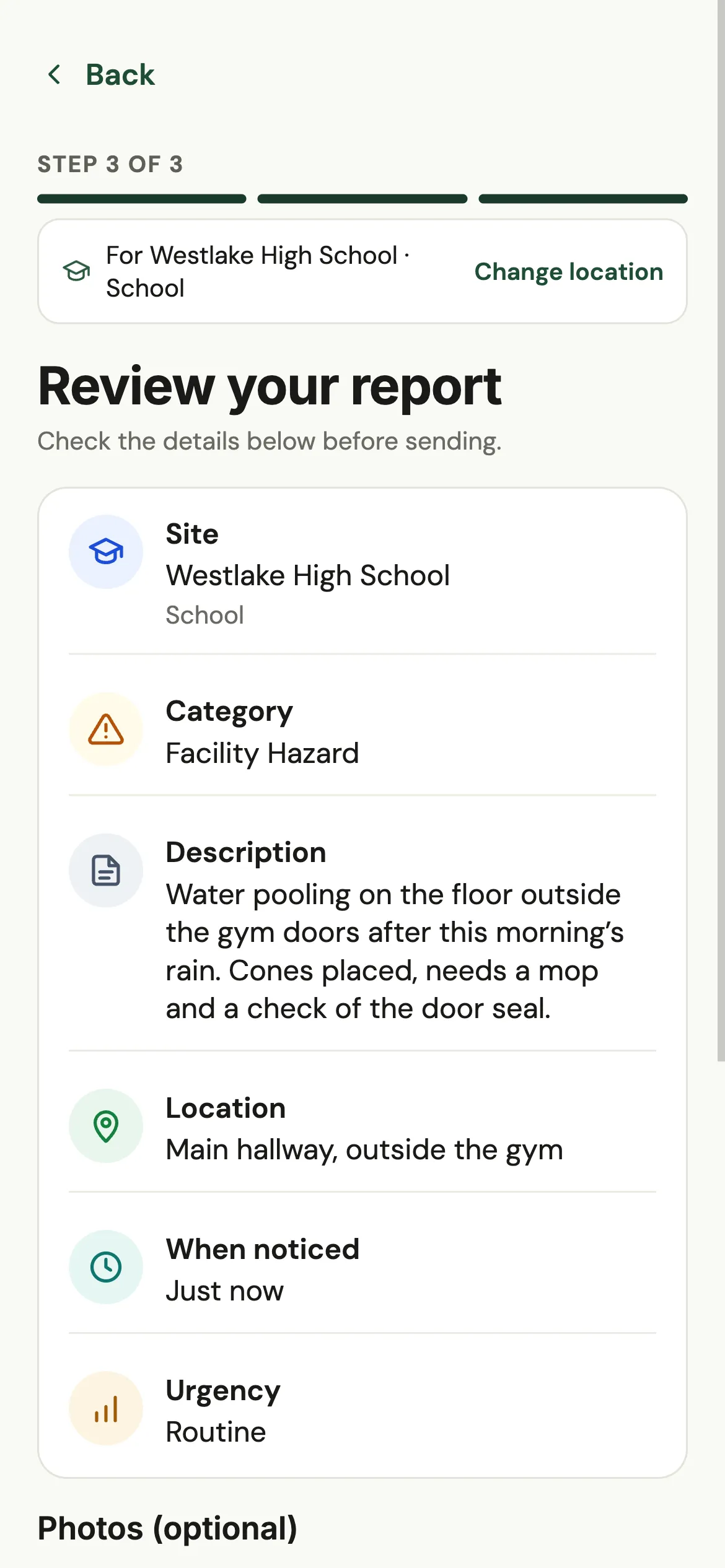
The Executive Summary and the SOLA Safety app, shown with Maplecrest Unified, SOLA’s demonstration district.
The SOLA advantage
SOLA is an investment in how your district runs: the dollars it spends, the hours its leaders keep, and the readiness of every school.
Spot cost pressure early. SOLA tracks cost, maintenance and budget measures against your targets and flags concerns with the evidence behind them.
Operational Intelligence · cost and budget KPIs02Stop assembling reports by hand. Every department reports into one place, and leadership reporting builds itself from what they submit.
District Health · Department Analytics · Executive and Board Summaries03Build the safety plan 100% in SOLA, then put it on every employee’s phone. What staff see in the field reaches the district through Field Reporting.
Safety plans · SOLA Safety app · Field ReportingOperational Intelligence
SOLA evaluates operational performance against your district’s targets and historical trends, helping leaders recognize emerging concerns, understand the evidence and see where to investigate.
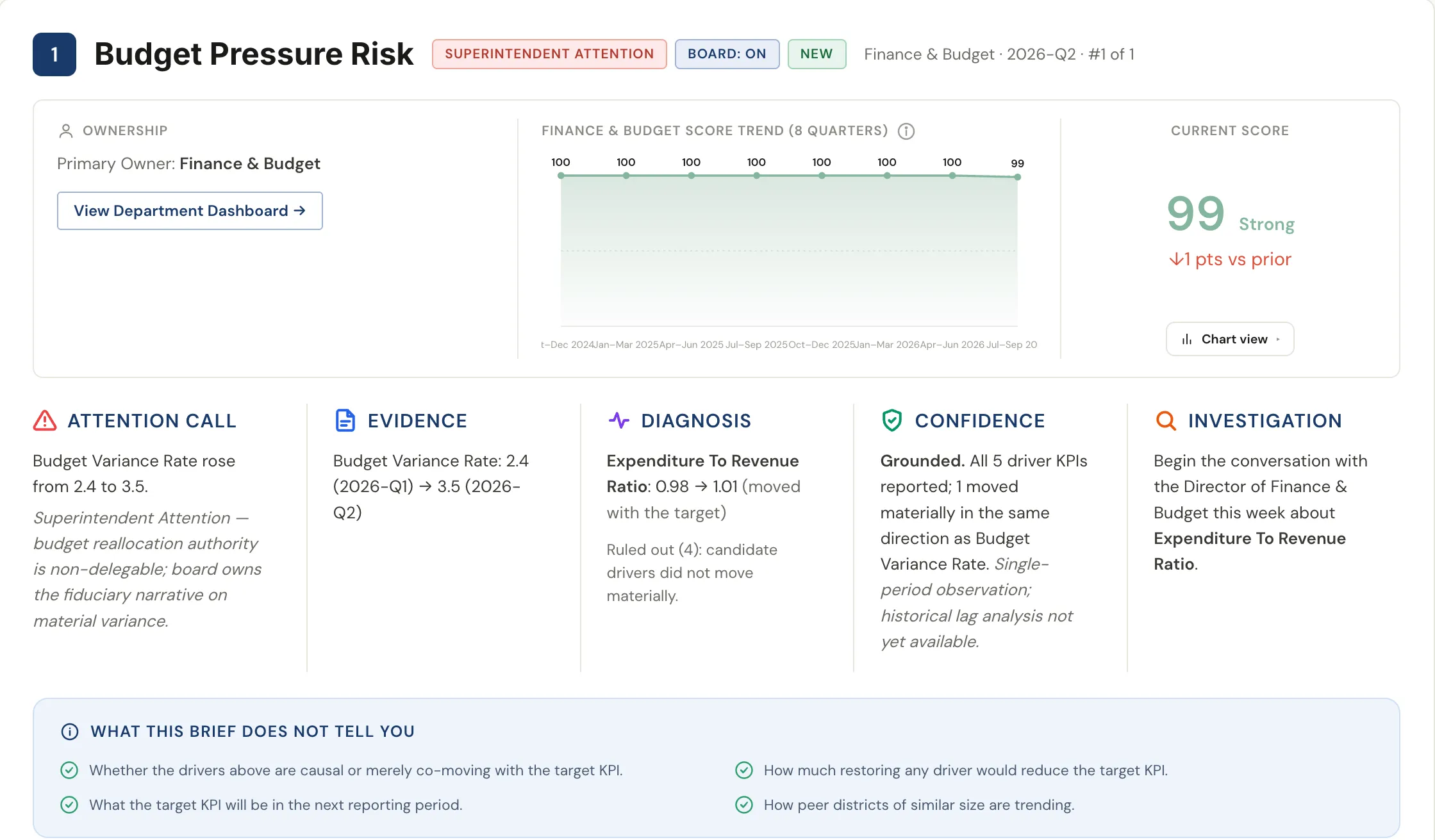
Operational performance concerns, raised against your targets and trends every period.
The measures that moved, up to eight quarters of context, the drivers ruled out and a stated confidence level.
A recommended first conversation, and an honest list of what the analysis does not tell you.
Concerns appear in the Executive Summary and board materials, from the same numbers departments submit.
Concerns are reviewed in SOLA. Email notifications cover reporting reminders, deadline notices, escalations, approvals and field report updates.
Save money · Financial stewardship
When budgets are tight, visibility matters. SOLA puts the cost and performance measures behind every department in front of leadership, against your own targets, so emerging cost pressure is seen and investigated sooner.
What does it cost to get students to school, and is the fleet holding up?
Where are maintenance and utility costs heading, and what is being deferred?
Is spending tracking the budget, and is pressure building?
Are vacancies and turnover adding cost and straining capacity?
Examples from SOLA’s 106 standardized K–12 operations KPIs. Your district sets the targets and thresholds for each.
Save time · Leadership productivity
Departments report into one place, on one schedule. Leaders go from the district to a department to the measures behind it in a few clicks, and the reports for cabinet and the board are already built.
1 · Start district-wide
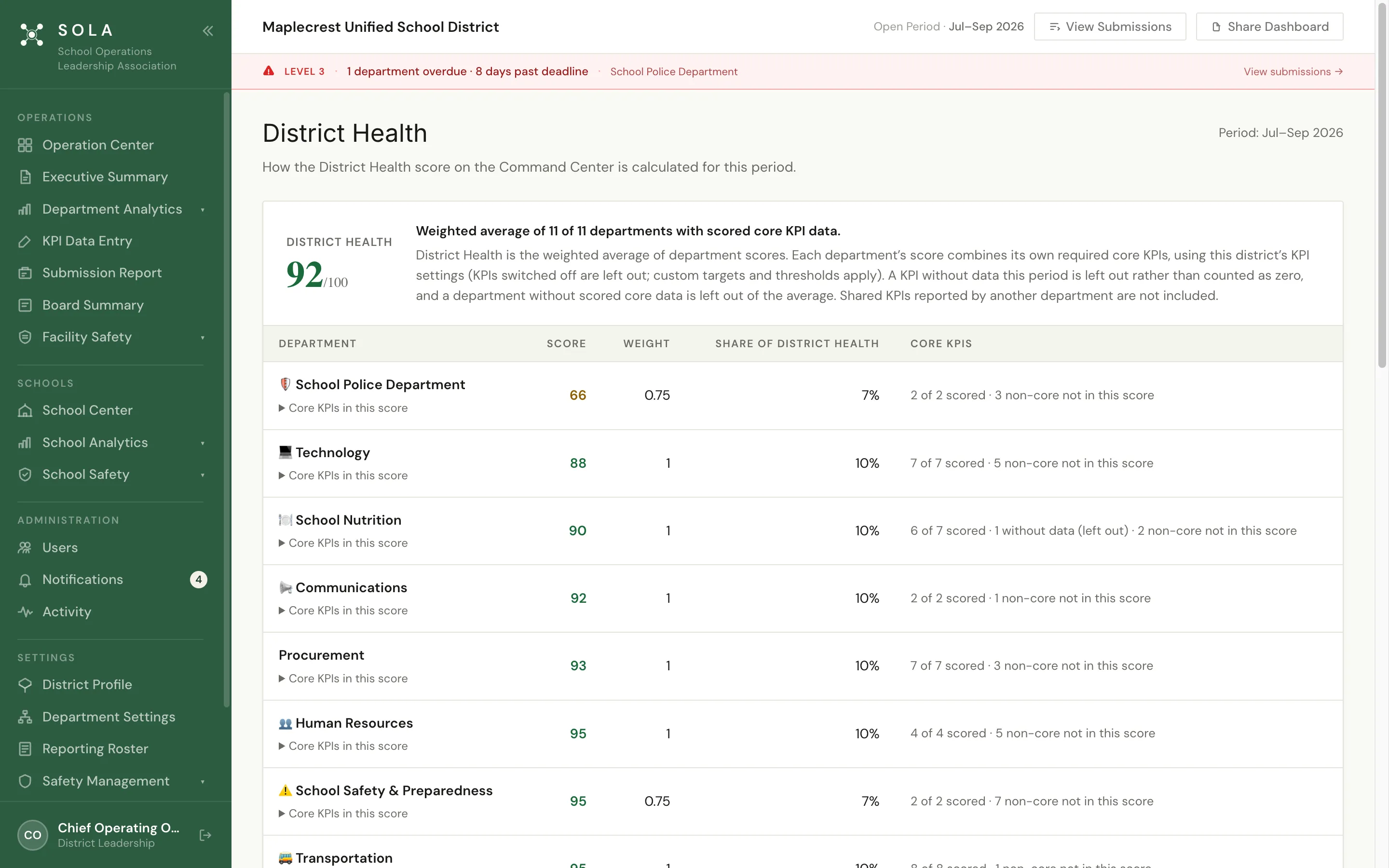
District Health brings every department together, so you can see where the district stands, which way it is moving and which departments are pulling it down.
2 · Go to the department
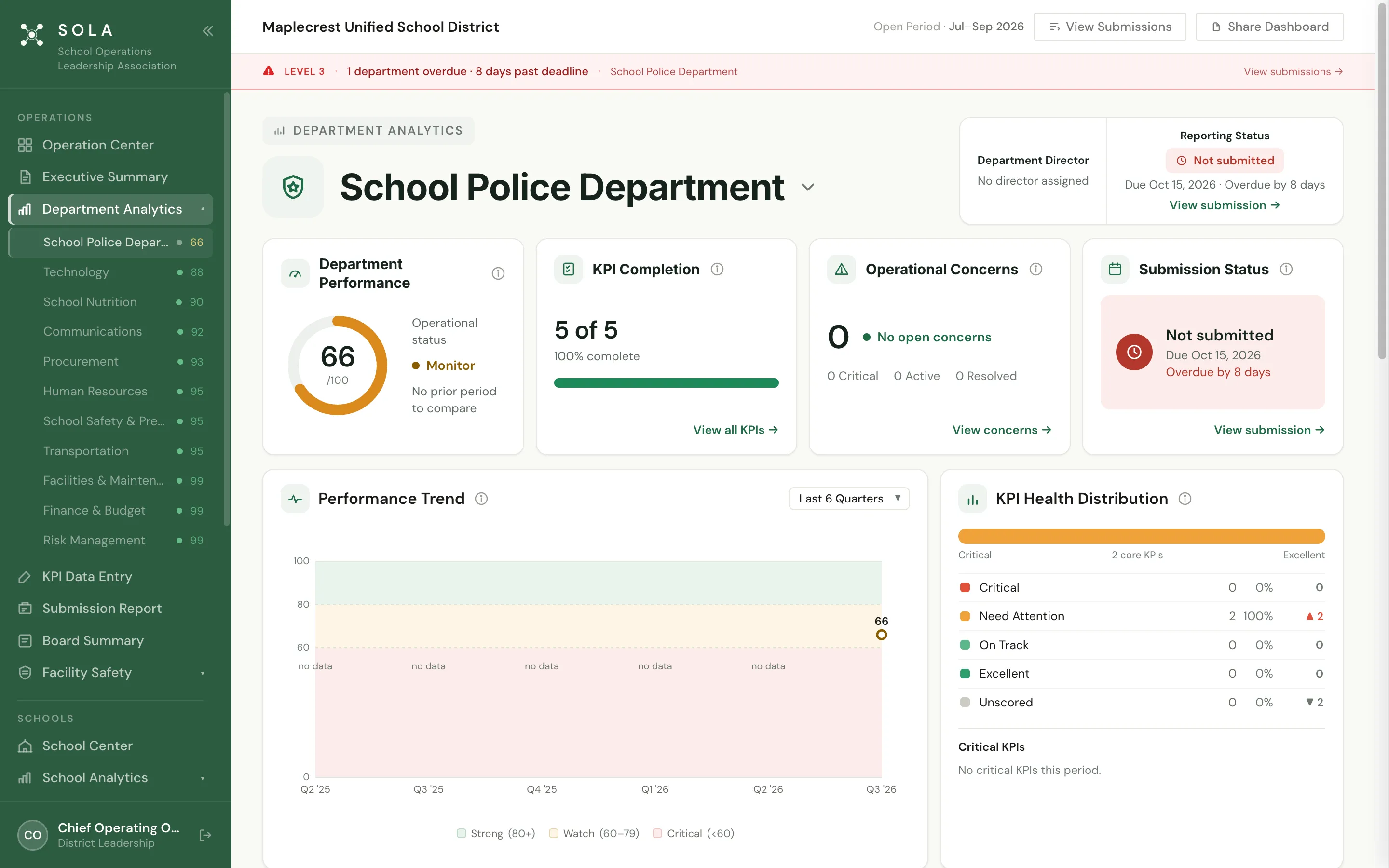
In Maplecrest, that is the School Police Department: a score of 66 in Monitor, two KPIs needing attention and its report eight days overdue. Score, KPIs, concerns and reporting status are on one page, with no spreadsheet to request.
3 · Check the measures
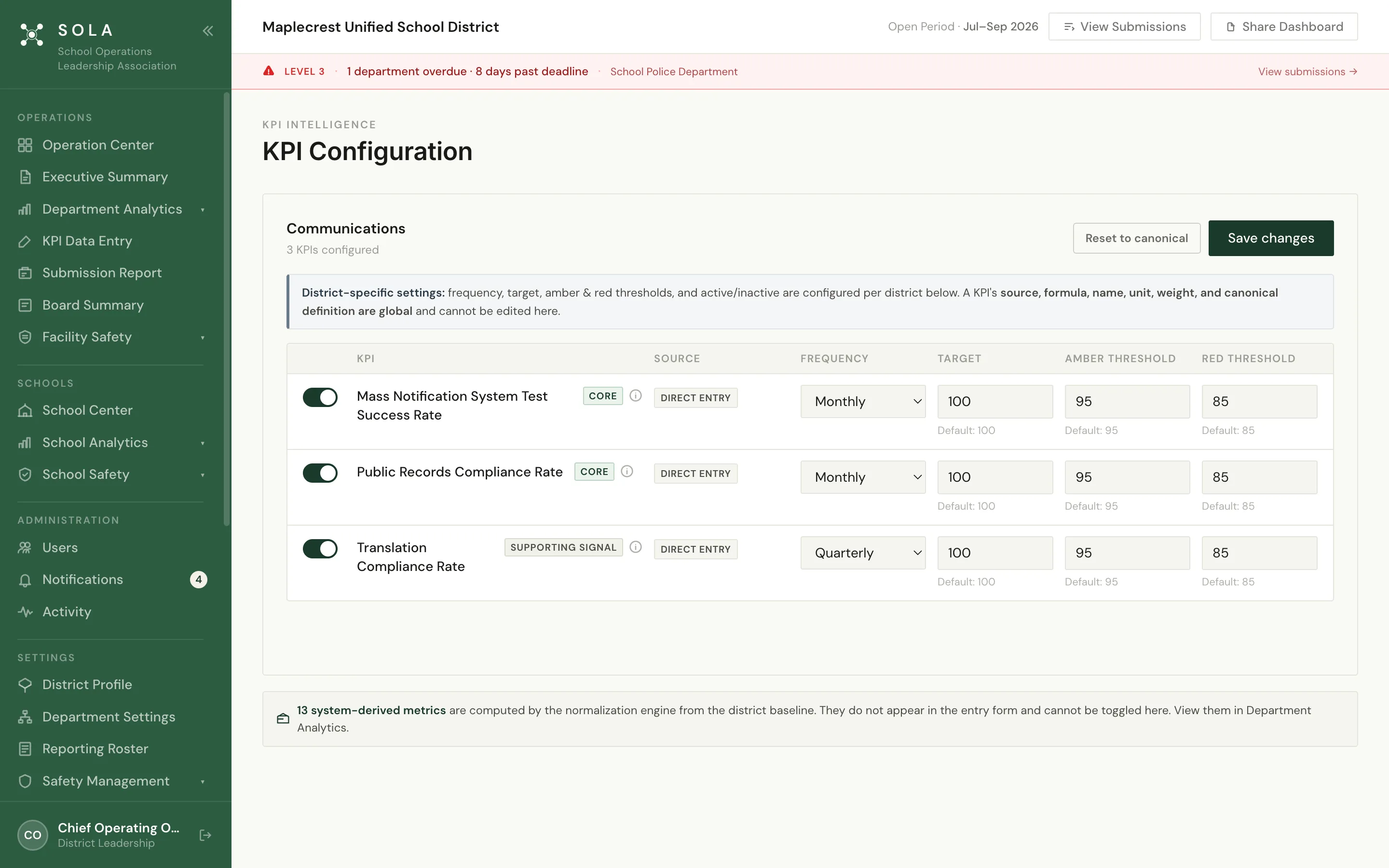
Every score is built from standardized KPIs with your district’s own targets and thresholds, so the conversation is about the work, not about whose numbers are right.
4 · Share one story
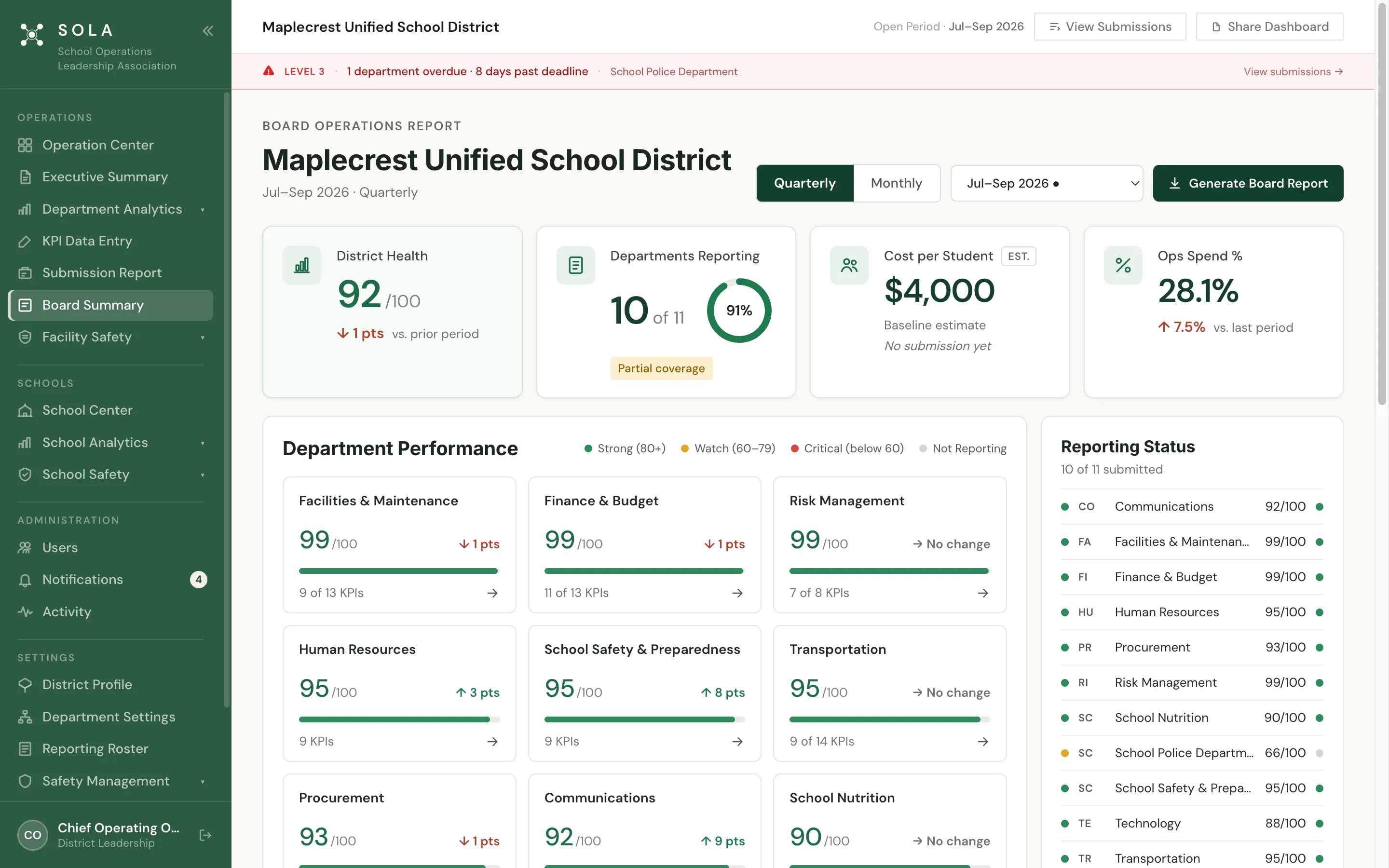
The Executive Summary and Board Summary are built from the same submitted numbers. Reporting deadlines remind, notify and escalate on their own, so no one has to chase a department.
Protect lives · School safety
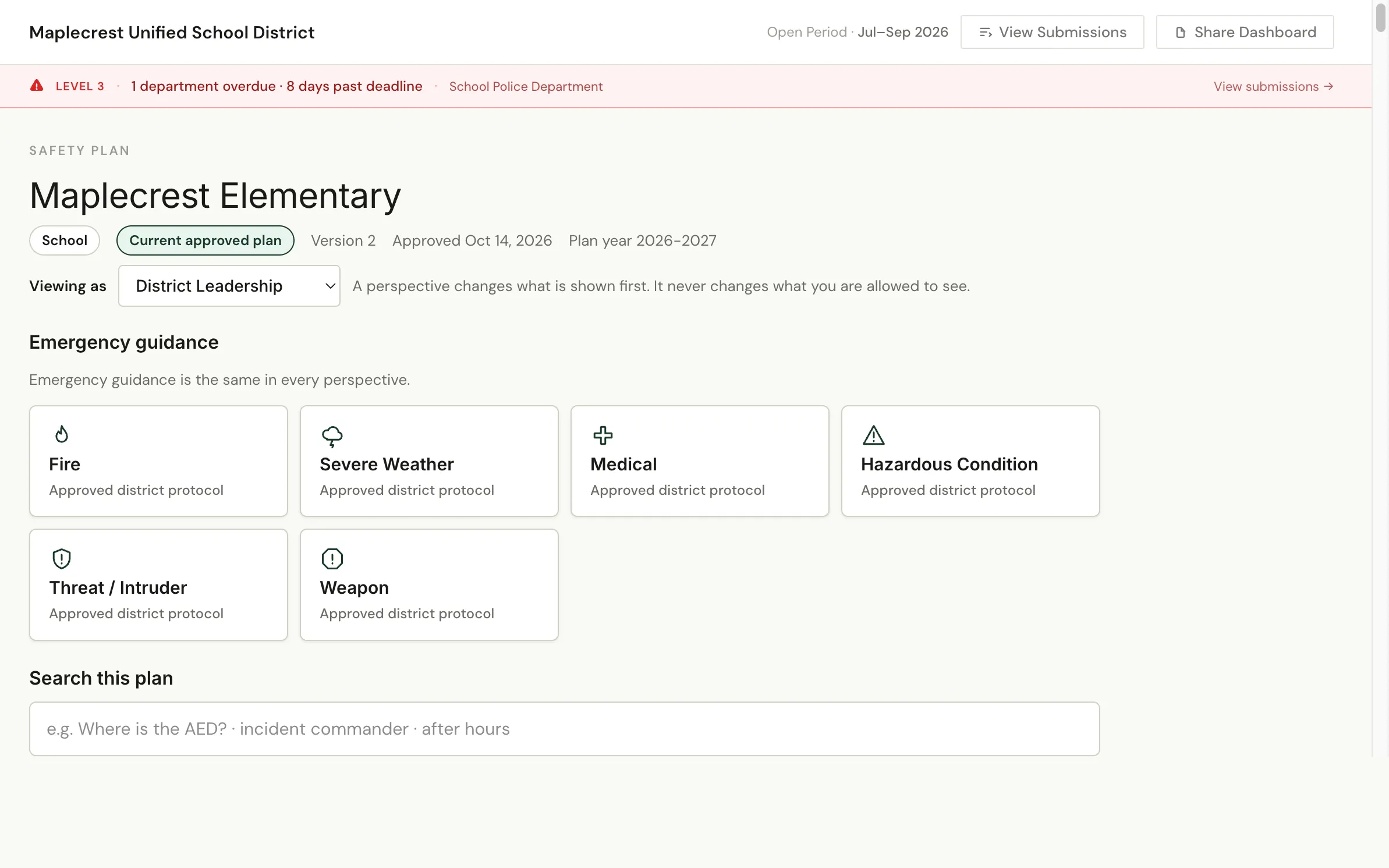
When safety matters, preparation and reliable information are essential. SOLA connects safety planning, accountability and mobile access, helping school personnel prepare, coordinate and respond with greater confidence.
The SOLA Safety app
Every employee you add to SOLA can open your schools’ approved safety plans in the SOLA Safety app on iPhone and Android, even offline. Sensitive sections are shown only to the people the district designates, and staff can send a field report from any school or facility.
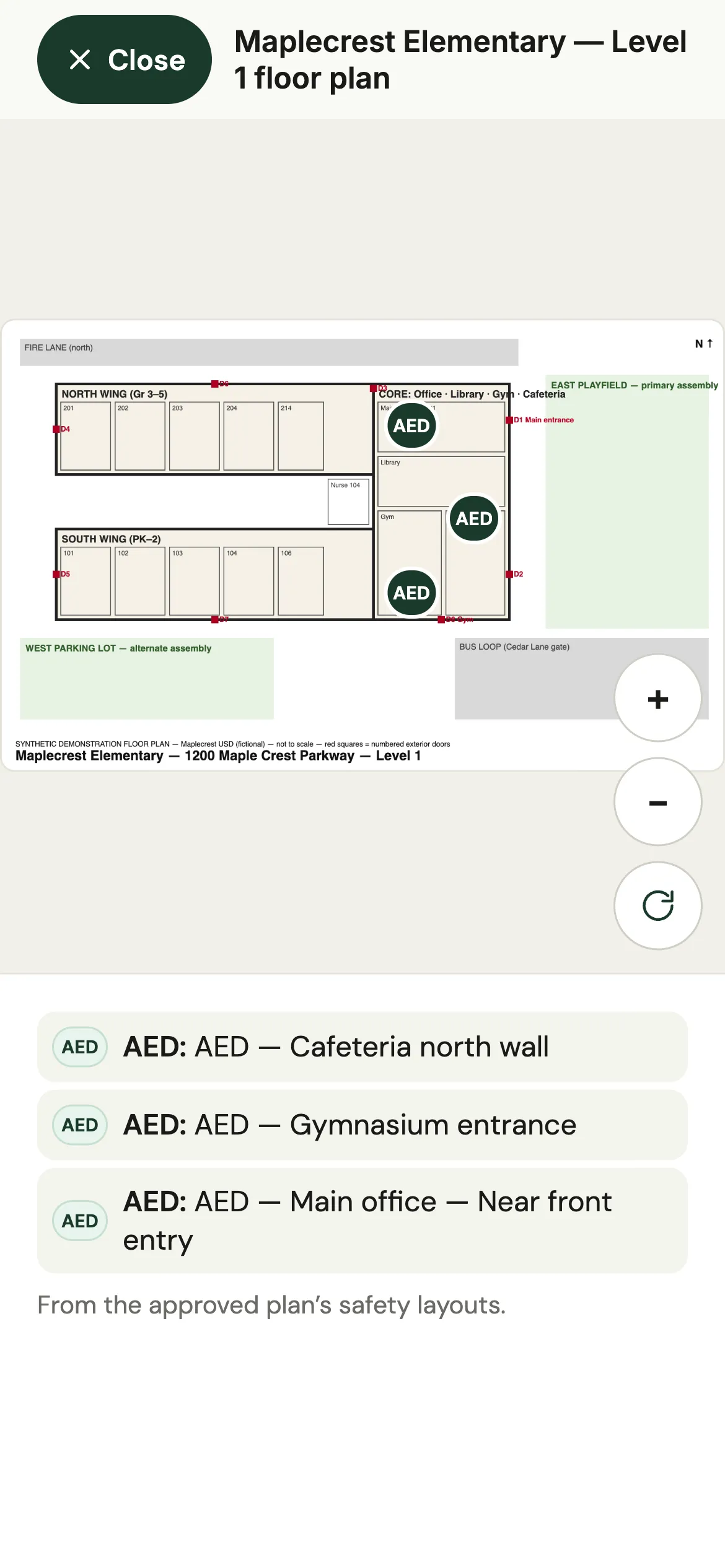
School layout
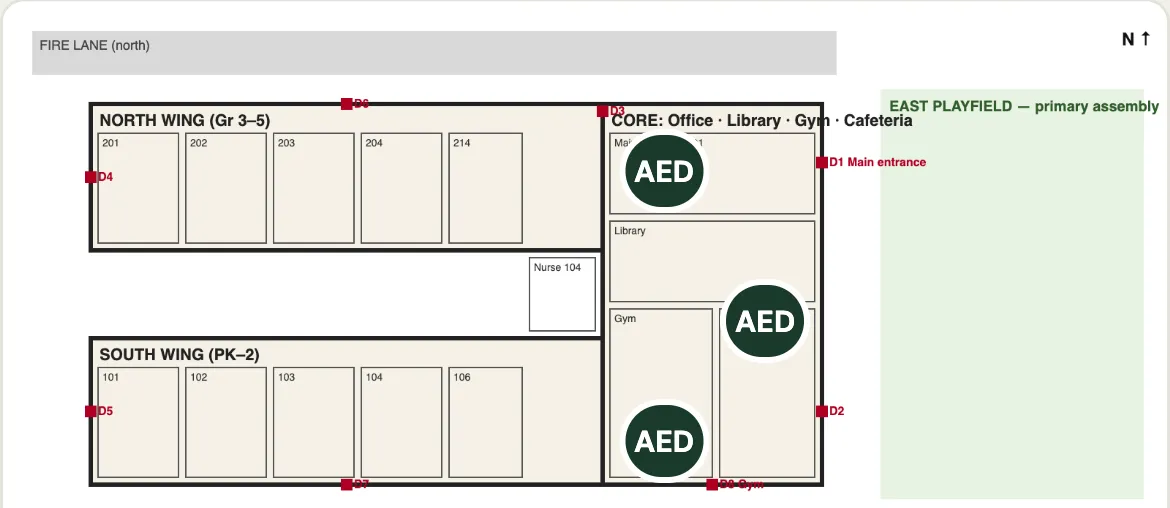
The approved plan’s floor plans open full screen on the phone, with pinch to zoom. Staff filter to what they need (exits, assembly areas, AEDs, first aid, fire extinguishers or shelter areas) and each location is listed in words as well. Restricted locations are shown only to the people the district designates.
After a report is sent
Smarter operations. Stronger schools. Safer communities.
Every district deserves one clear view of how it is running, and a safety plan that reaches every school.
About SOLAA 30-minute walkthrough with SOLA’s demonstration district, focused on your departments, your reporting and your schools.